
Now Reading: Step-by-Step Guide to Correcting Name on NIN and BVN in Nigeria
1
-
01
Step-by-Step Guide to Correcting Name on NIN and BVN in Nigeria
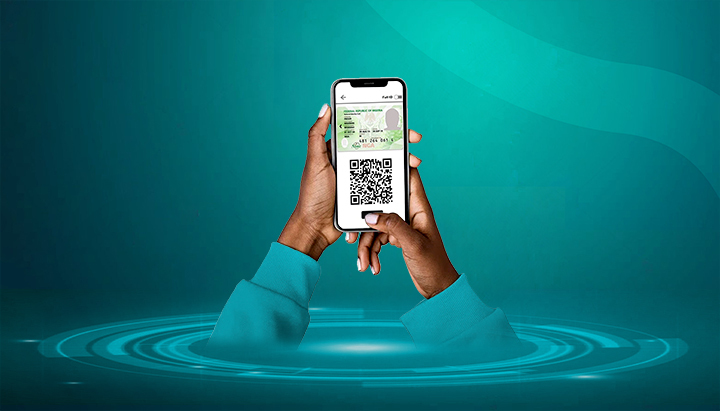

Having the correct name on both your National Identification Number (NIN) and Bank Verification Number (BVN) is very important. Name mismatches can block you from linking NIN with SIM cards, banks, or even applying for passports and visas.
Here’s a step-by-step guide to correcting your name on NIN and BVN separately.
📌 Part A: Correcting Name on NIN
The National Identity Management Commission (NIMC) allows for name updates and corrections.
Step 1: Gather Required Documents
Depending on the correction type:
- Spelling mistakes/minor errors:
- NIN slip (original & copy)
- Valid ID (Passport, Driver’s License, Voter’s Card, National ID card)
- Major name changes (marriage, legal change):
- Marriage Certificate (for change of surname after marriage)
- Court Affidavit
- Newspaper publication of change of name
- Birth Certificate / Age Declaration
Step 2: Make Payment (If Applicable)
- Minor spelling corrections may be free.
- Major changes attract a ₦5,000 fee (payable via Remita).
- Print your payment receipt.
Step 3: Visit a NIMC Enrolment Centre
- Collect and fill the NIN Data Modification Form.
- Submit your form, documents, and payment receipt (if required).
Step 4: Biometric Recapture
- NIMC officials may re-capture your fingerprints, photograph, and signature.
Step 5: Collect Updated NIN Slip
- Processing may take 1–3 weeks.
- Collect your updated slip and confirm the corrected name.
📌 Part B: Correcting Name on BVN
The Bank Verification Number (BVN) is handled by banks under the supervision of the Central Bank of Nigeria (CBN).
Step 1: Gather Required Documents
- Valid ID (Passport, Driver’s License, Voter’s Card, or NIN slip)
- Court Affidavit (if applicable)
- Marriage Certificate (for women who changed surname after marriage)
- Newspaper publication (for major changes)
Step 2: Visit Your Bank
- Go to the bank branch where you enrolled for BVN or any of their branches.
- Request a BVN Data Correction Form.
Step 3: Submit Documents & Verification
- Fill the form and attach your supporting documents.
- The bank will verify and forward your request to the CBN BVN database.
Step 4: Biometric Recapture (If Required)
- Some banks may re-capture your fingerprints and photo to update records.
Step 5: Confirmation
- Processing usually takes a few days to 2 weeks.
- You’ll be notified once your BVN name correction is complete.
✅ Final Tips
- Use the same name format across NIN, BVN, bank accounts, SIM registration, and international passports.
- Always carry original and photocopies of documents.
- NIMC updates often take longer than BVN updates — plan ahead.
- Avoid using “agents” — only update through official banks and NIMC centres.










Related Posts


Stay Informed With the Latest & Most Important News
Previous Post
Next Post
Advertisement

Donations







Loading Next Post...


