
Now Reading: Step-by-Step Guide to Checking Your NIN and BVN Details Online in Nigeria
1
-
01
Step-by-Step Guide to Checking Your NIN and BVN Details Online in Nigeria
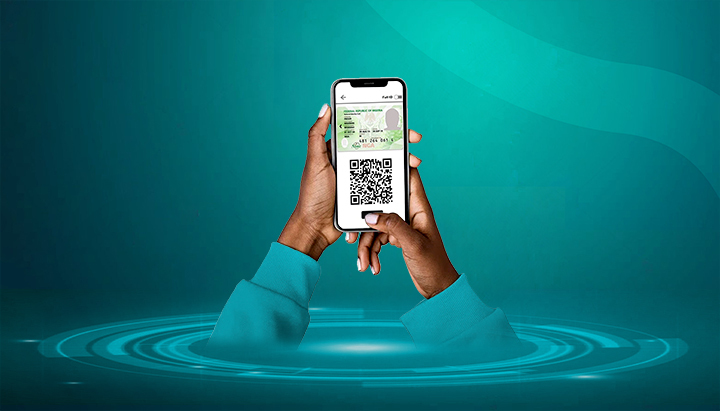

Both the National Identification Number (NIN) and the Bank Verification Number (BVN) are compulsory for financial and telecom services in Nigeria. Mistakes in either can cause account restrictions or SIM blocking. Thankfully, there are easy ways to check and confirm your details online or remotely.
Here’s a step-by-step guide.
📌 Part A: Checking Your NIN Details
1. Via USSD Code
- Dial *346# on your registered phone number.
- Select the option for “NIN Retrieval” or “NIN Details.”
- Your NIN will be displayed (₦20 service fee applies).
2. Via the NIMC Mobile ID App
- Download the NIMC Mobile ID app from Google Play Store or Apple App Store.
- Log in with your NIN and registered phone number.
- An OTP will be sent to your number.
- Once logged in, you can see your NIN, biodata (name, DOB, gender, etc.), and generate a Virtual NIN (vNIN) for secure use.
3. At the NIMC Website (Limited Checks)
- Visit https://nimc.gov.ng.
- Check updates and status of services.
- Full biodata isn’t yet available for public viewing online due to security concerns.
📌 Part B: Checking Your BVN Details
1. Via USSD Code
- Dial *565*0# on your registered phone line (₦20 fee applies).
- Your 11-digit BVN will be displayed.
- Note: This only shows the number, not full details.
2. Via Your Bank’s Mobile/Internet Banking
- Log in to your mobile banking app or internet banking platform.
- Go to “Profile” or “BVN Information” section.
- You can view your BVN and linked details (name, DOB, phone, email).
3. At Bank Branch
- If you want your full BVN biodata printout, visit your bank with a valid ID.
- Request for BVN details check to confirm name, DOB, and linked contacts.
✅ Final Tips
- Always ensure that your NIN and BVN details match (name, DOB, gender) to avoid linkage problems.
- Keep your NIN and BVN private — they’re tied to sensitive financial and personal records.
- Use the NIMC app for NIN checks and your bank app for BVN checks regularly.
- If you notice errors, follow correction steps at NIMC (for NIN) or your bank (for BVN).










Related Posts


Stay Informed With the Latest & Most Important News
Previous Post
Next Post
Advertisement

Donations








Loading Next Post...


