
Now Reading: Step-by-Step Guide to Linking NIN with Your BVN and SIM at the Same Time
1
-
01
Step-by-Step Guide to Linking NIN with Your BVN and SIM at the Same Time
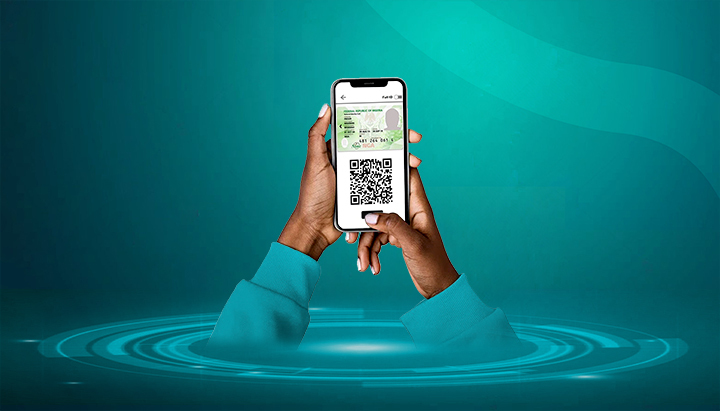

The Federal Government of Nigeria, through the Nigerian Communications Commission (NCC) and the Central Bank of Nigeria (CBN), has made it mandatory for citizens to link their National Identification Number (NIN) with both SIM cards and Bank Verification Number (BVN).
Failure to do so may result in SIM card blocking or bank account restrictions. Luckily, you can update both at the same time to stay compliant.
Here’s a step-by-step guide.
📌 Step 1: Confirm Your NIN
- If you already registered, dial *346# on your registered phone to retrieve your NIN (₦20 service fee).
- If not, enrol at a NIMC centre or accredited partner to obtain one.
📌 Step 2: Link NIN with Your SIM Card
Each telecom provider has a method:
- MTN: Dial *785# or visit https://mtnonline.com/nin
- Airtel: Dial *121*1# or visit https://www.airtel.com.ng/nin
- Glo: Dial *109*NIN# or visit https://www.gloworld.com/ng/nin
- 9mobile: Dial *200*8# or visit https://9mobile.com.ng/nin
👉 You can also visit any telecom service centre with your NIN slip and ID for assistance.
📌 Step 3: Link NIN with Your BVN
Most banks provide multiple options:
- USSD: Examples — GTBank (*73720NIN#), Access Bank (*90111#), Zenith Bank (*966BVN*NIN#)
- Mobile Banking Apps: Look for “NIN Update” in your app profile settings.
- Bank Branch: Visit with your NIN slip and a valid ID to update manually.
📌 Step 4: Confirm Both Linkages
- SIM: You’ll receive an SMS confirmation after successful linking. You can also check via your network’s USSD.
- BVN: Use your bank’s app or USSD (e.g., *565*0# for BVN retrieval, then check if NIN is attached).
📌 Step 5: Troubleshoot Mismatches (If Any)
- If your name, DOB, or gender differs between NIN and BVN, you must correct them at either NIMC (for NIN) or your bank (for BVN) before linking.
- If your SIM registration details don’t match your NIN, update them at the telecom centre.
✅ Final Tips
- Always use the same personal details (name, date of birth, gender) across NIN, BVN, and SIM cards.
- Keep your NIN and BVN secure — they are tied to sensitive financial and identity records.
- Linking is free of charge — don’t pay unofficial agents.
- Do this once across all banks and SIMs to avoid future restrictions.










Related Posts


Stay Informed With the Latest & Most Important News
Previous Post
Next Post


Advertisement

Donations









Loading Next Post...


