
Now Reading: Step-by-Step Guide to Correcting Gender or Address on NIN and BVN in Nigeria
1
-
01
Step-by-Step Guide to Correcting Gender or Address on NIN and BVN in Nigeria
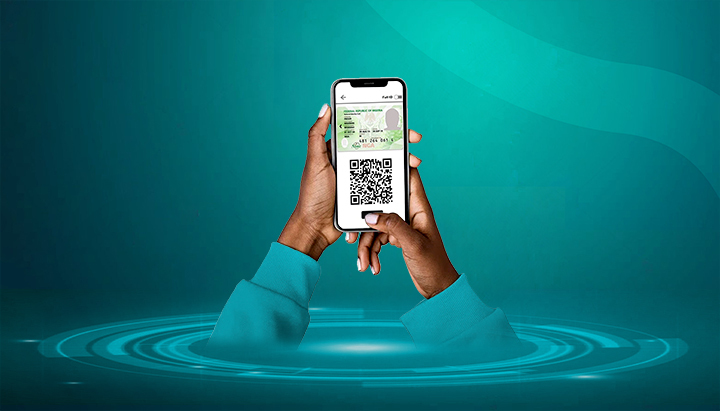

Mistakes in your gender or address on the National Identification Number (NIN) or Bank Verification Number (BVN) records can lead to difficulties when linking accounts or applying for official services. Fortunately, both can be corrected through official processes.
Here’s how to do it.
📌 Part A: Correcting Gender or Address on NIN
The National Identity Management Commission (NIMC) manages NIN records and allows corrections.
Step 1: Gather Required Documents
For Gender Correction:
- NIN slip (original and copy)
- Valid ID (Passport, Voter’s Card, Driver’s License, or National ID card)
- Birth Certificate or Affidavit clearly stating correct gender
For Address Update/Correction:
- NIN slip (original and copy)
- Recent Utility Bill (electricity, water, waste bill) not older than 3 months
- Tenancy Agreement (optional but sometimes accepted)
- Affidavit of Address (if required)
Step 2: Make Payment (If Applicable)
- Minor corrections (like address) are usually free.
- Gender correction may attract a ₦5,000 fee, payable via Remita.
- Print your payment receipt.
Step 3: Visit a NIMC Enrolment Centre
- Request a NIN Data Modification Form.
- Fill in the section for gender or address update.
- Submit the form with your supporting documents and receipt (if applicable).
Step 4: Biometric Recapture (If Needed)
- For gender correction, NIMC officials may re-capture your biometrics (fingerprints, photo, signature).
- For address updates, biometric recapture may not be required.
Step 5: Collect Updated NIN Slip
- Processing time is usually 1–3 weeks, depending on the correction.
- Return with your acknowledgment slip to collect your updated NIN slip.
📌 Part B: Correcting Gender or Address on BVN
The Bank Verification Number (BVN) is managed by banks under the supervision of the Central Bank of Nigeria (CBN).
Step 1: Gather Required Documents
For Gender Correction:
- Valid ID (Passport, Voter’s Card, Driver’s License, or NIN slip)
- Birth Certificate or Court Affidavit
For Address Update:
- Recent Utility Bill (not older than 3 months)
- Tenancy Agreement (if available)
- Valid ID (showing correct details)
Step 2: Visit Your Bank Branch
- Go to the branch where you registered for BVN or any branch of your bank.
- Request a BVN Data Correction/Update Form.
- Fill it out and attach the required documents.
Step 3: Submit Documents & Verification
- Bank staff will verify your documents and process the correction request.
- If correcting gender, your details will be updated in the CBN’s BVN database.
- If updating address, your new address will be saved across all linked accounts.
Step 4: Biometric Recapture (If Required)
- For gender corrections, banks may re-capture your fingerprints and photograph.
- For address updates, biometric recapture is usually not needed.
Step 5: Confirmation
- Processing time is usually a few days to 2 weeks.
- You’ll receive an SMS/email confirmation when the update is complete.
✅ Final Tips
- Always use consistent details across NIN, BVN, passports, and bank accounts.
- Carry both original and photocopies of documents when visiting NIMC or banks.
- Corrections at NIMC often take longer than those at banks — be patient.
- Never use “agents” — only correct details through official banks and NIMC centres.










Related Posts


Stay Informed With the Latest & Most Important News
Previous Post
Next Post


Advertisement

Donations








Loading Next Post...


