
Now Reading: Step-by-Step Guide to Linking NIN with Bank Accounts in Nigeria
1
-
01
Step-by-Step Guide to Linking NIN with Bank Accounts in Nigeria
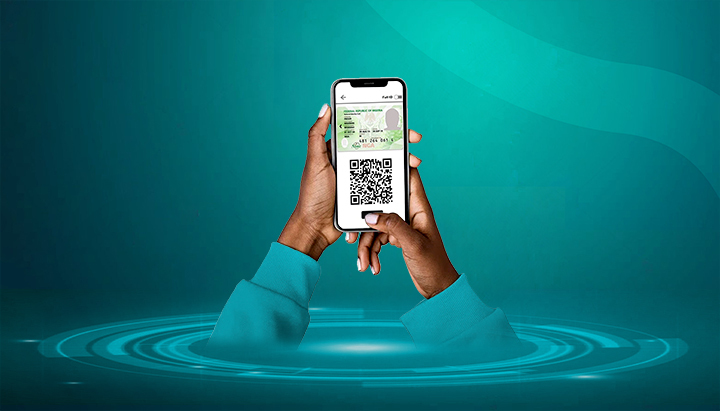

The National Identification Number (NIN) is now compulsory for all banking customers in Nigeria. Linking your NIN to your bank account ensures compliance with CBN regulations and prevents disruption of your financial transactions.
Here’s a clear step-by-step guide to linking your NIN with your Nigerian bank account.
📌 Step 1: Get Your NIN
- If you don’t already have one, enrol at a NIMC centre, telecom office, or accredited partner centre.
- To retrieve your NIN, dial *346# on your registered phone number (₦20 service fee applies).
📌 Step 2: Link NIN via Your Bank’s USSD Code
Most Nigerian banks provide an easy way to link your NIN through USSD. Examples:
- GTBank: Dial *73720yourNIN#
- Access Bank: Dial *901*11#
- First Bank: Dial *894*1#
- Zenith Bank: Dial *966*yourNIN#
- UBA: Dial *919*60#
(Confirm with your specific bank, as codes may vary.)
📌 Step 3: Link NIN via Internet or Mobile Banking
- Log into your bank’s mobile app or internet banking platform.
- Navigate to the NIN Update/Linking section.
- Enter your 11-digit NIN and submit.
- You’ll get a confirmation message once successful.
📌 Step 4: Link NIN via Bank Branch
- Visit the nearest bank branch with:
- Your NIN slip
- A valid ID (Passport, Driver’s License, Voter’s Card, or NIN card)
- Request a NIN linking form, fill it out, and submit.
- Your details will be updated in their system.
📌 Step 5: Confirm Your NIN Linking Status
- You may receive an SMS/email confirming the update.
- If unsure, call your bank’s customer care or revisit the app/USSD to check.
✅ Final Tips
- Linking is free of charge — avoid agents who demand money.
- Always use the NIN that matches the name on your BVN to avoid mismatches.
- Update your bank promptly if you correct or update your NIN details at NIMC.
- Do this for all your bank accounts, not just one.










Related Posts



Stay Informed With the Latest & Most Important News
Previous Post
Next Post

Advertisement

Donations







Loading Next Post...


