
Now Reading: Step-by-Step Guide to Printing the Improved NIN Slip Online
1
-
01
Step-by-Step Guide to Printing the Improved NIN Slip Online
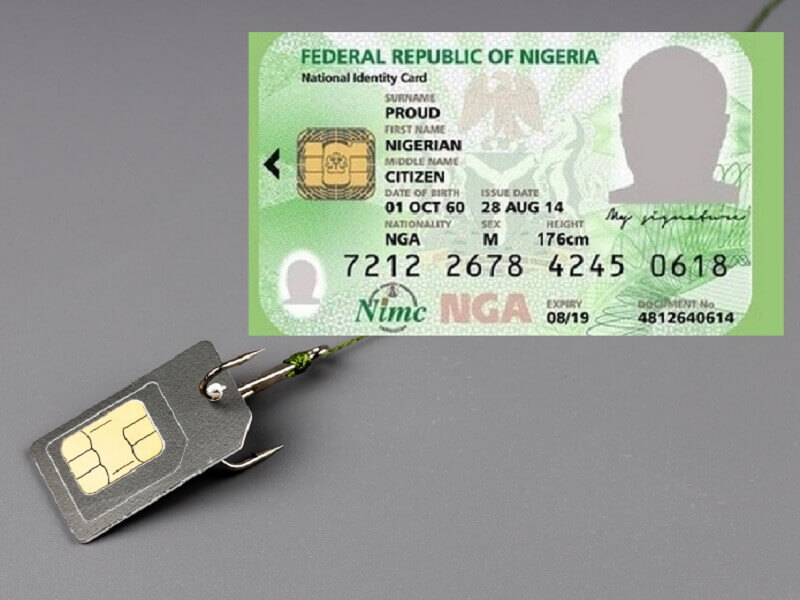

The National Identity Management Commission (NIMC) introduced the improved NIN slip, a plastic card-style version of the regular paper slip. It contains your NIN and basic details in a secure format, and it can be printed by individuals directly online.
Here’s a step-by-step guide to printing your improved NIN slip online.
📌 Step 1: Download the NIMC Mobile App
- Search for “NIMC Mobile ID” on Google Play Store (Android) or Apple App Store (iOS).
- Install the app on your smartphone.
📌 Step 2: Log In with Your NIN Details
- Open the app and enter your 11-digit NIN and the phone number linked to your NIN.
- An OTP (One-Time Password) will be sent to your registered phone number.
- Enter the OTP to log in.
📌 Step 3: Navigate to the “Print Improved NIN Slip” Option
- On the app dashboard, look for “Print NIN Slip”.
- Select “Print Premium Slip” for the improved version.
📌 Step 4: Make Payment Online
- The improved NIN slip printing requires a ₦1,000 fee, payable through Remita.
- You’ll be redirected to the Remita payment gateway.
- Pay using bank transfer, debit card, or online banking.
- After payment, a receipt is generated automatically.
📌 Step 5: Download and Print Your Slip
- After successful payment, go back to the app and select “Download Slip”.
- The slip is downloaded in PDF format.
- Print it in color on PVC/plastic card material at a business center or printing shop.
📌 Step 6: Safeguard Your New Slip
- The improved slip is more durable and portable, similar to an ATM card.
- Keep it safe, but avoid sharing your NIN details carelessly.
✅ Final Tips
- Always download only through the official NIMC app.
- Avoid fake websites or agents offering “fast printing.”
- Keep the PDF file secure — it contains sensitive personal information.
- You can print multiple copies if needed for backup.










Related Posts


Stay Informed With the Latest & Most Important News
Previous Post
Next Post


Advertisement

Donations








Loading Next Post...


